 Turnsweep
For Airbnb, Vrbo and Booking.com hosts
Every checkout becomes a cleaning job for your cleaner.
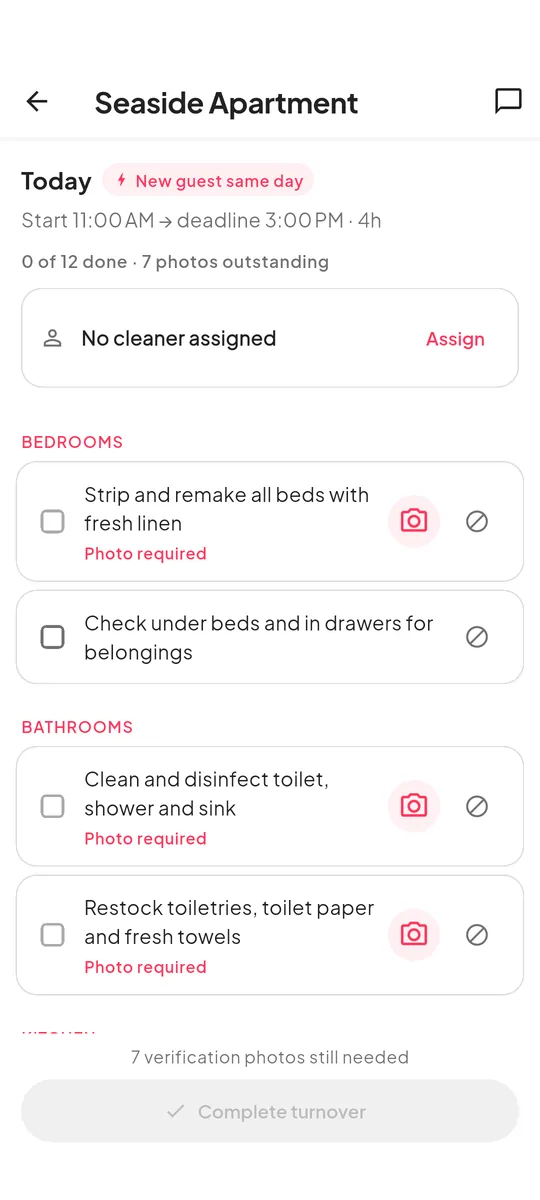
Turnsweep reads your booking calendar and schedules a clean between one guest leaving and the next one arriving. Your cleaner gets the time window and your checklist on their phone, and sends you photos when they’re done.


Free for one property. Always free for your cleaner.
How it works
-
 1
1
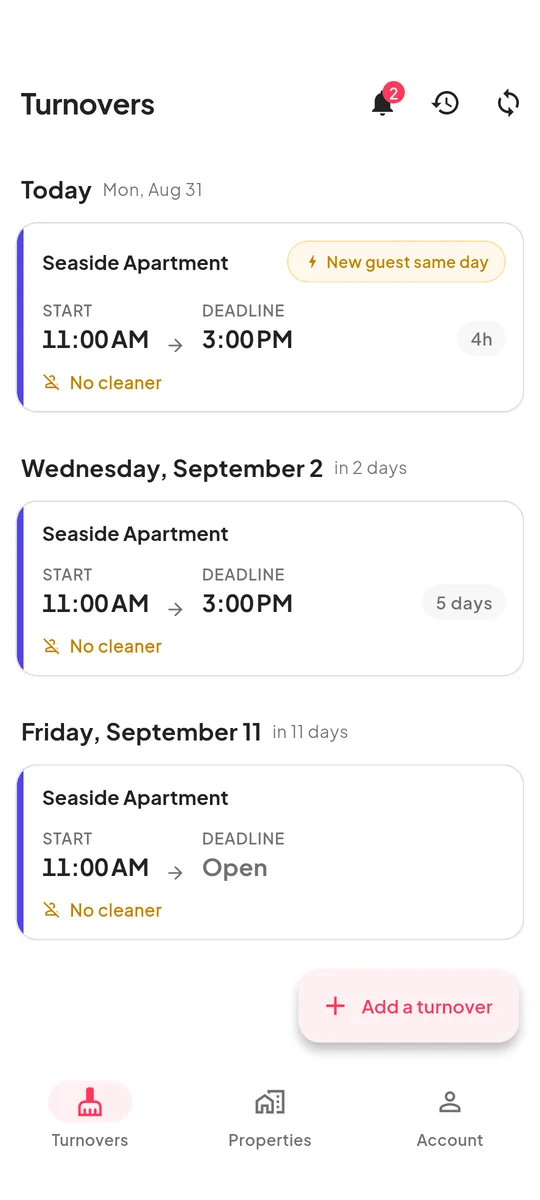
Paste your calendar link
Copy the calendar export link (iCal) from Airbnb, Vrbo or Booking.com and paste it into Turnsweep. It finds every checkout in the next three months and looks for new bookings every 15 minutes.
-
 2
2
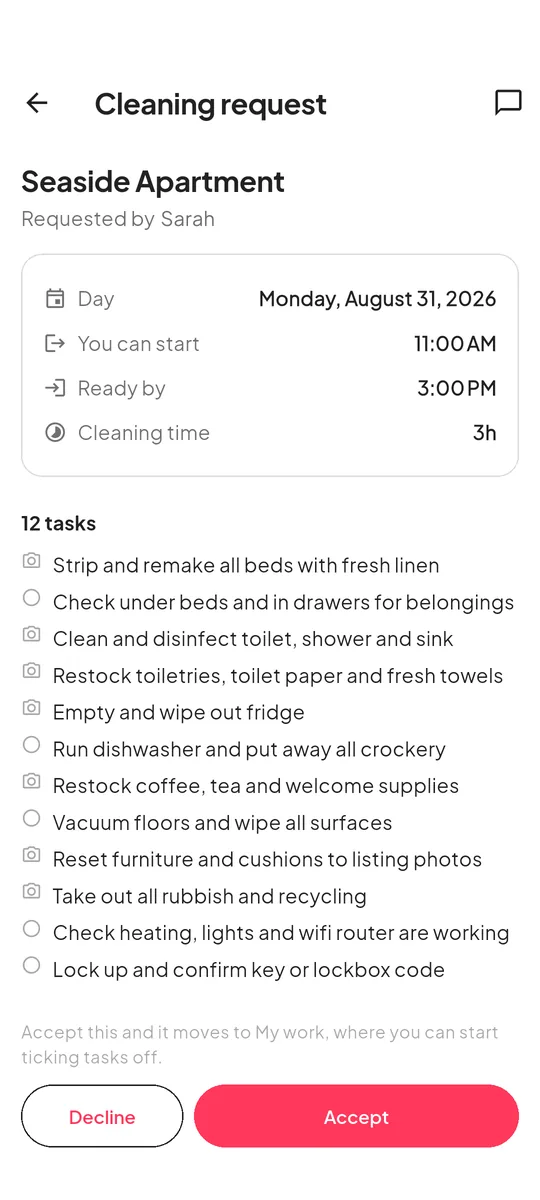
Choose who cleans
Send each job to a cleaner, or pick one cleaner per property and new jobs go straight to them. They accept or decline in the app, so you know early if you need someone else.
-
 3
3
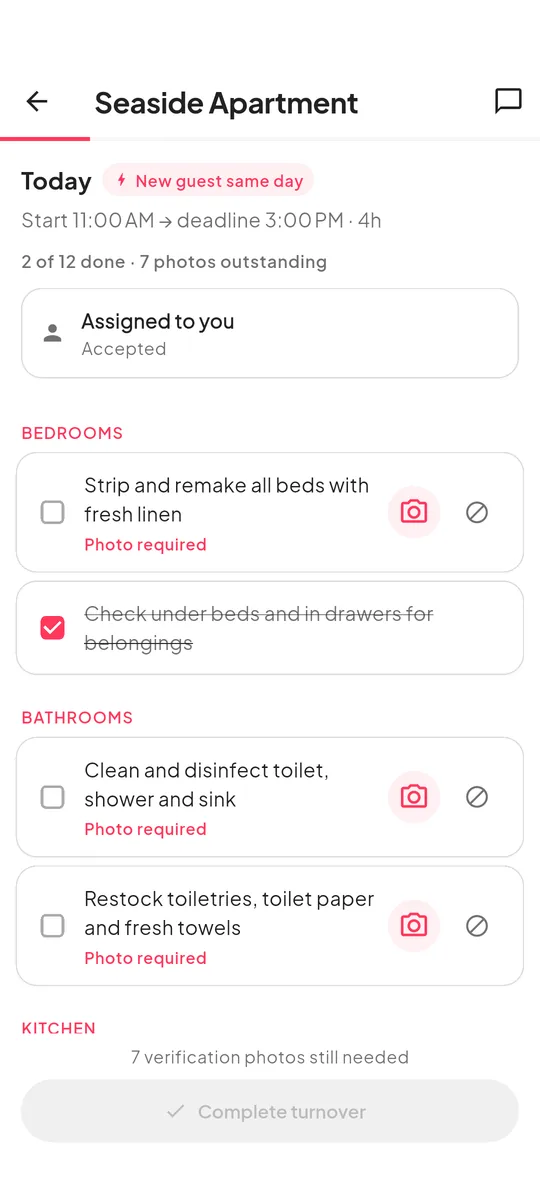
Get photos when it’s done
Your cleaner goes through your checklist room by room and takes photos of the tasks you marked. You get a notification when the clean is finished.
Also in the app
-
Same-day turnovers are flagged
If the next guest checks in on the day the last one checks out, the job says so and shows how many hours your cleaner has.
-
It works without signal
Cleaners can go through the checklist offline. Photos upload once the phone is back online.
-
Cleaners only see their own jobs
Nothing about your other properties, calendars or cleaners.
-
Photos stay private
Only you and the cleaner who took them can see them.
Pricing
Both plans have every feature. The only difference is how many properties you can add.
Free
No card needed, no time limit
- 1 property
- Every feature
- As many cleaners as you like
Turnsweep
or $149.99 a year, two months free
- As many properties as you have
- Every feature
- As many cleaners as you like
Cleaners never pay. On iPhone, you subscribe in the app. On Android, subscribe on our website and sign in to the app with the same account. Prices are in US dollars; the App Store shows the price for your country.
Questions
Will it work with my booking site?
If the site gives you a calendar link, yes. Look for “export calendar”, “iCal” or “.ics”. Airbnb, Vrbo and Booking.com all have one. If a property is listed on more than one site, connect each calendar and the bookings are combined.
Does my cleaner have to pay?
No. Cleaners install the same app and use it for free.
Can Turnsweep change my bookings?
No. It only reads the calendar link. It has no access to your booking account.
What happens if I stop paying?
Nothing is deleted. Your first property keeps working as before. Any others become read-only until you subscribe again or remove them.
How do I cancel?
On iPhone, open Settings, tap your name, then Subscriptions. If you subscribed on our website, sign in on the subscription page and choose Manage subscription.
Try it on one property, free.
Install the app, paste your calendar link, and add your cleaner.
Questions? Email support@turnsweep.com.